
 RowCraft – Table Fields for Jira
Using the app
Use the RowCraft search helper
The search helper writes RowCraft JQL for you. It opens on top of Jira's work item search, reads the current search, and lets you add, edit or remove RowCraft conditions with a form, or edit the whole JQL with suggestions.
Open the search helper
- Open Jira's work item search, or a saved filter.
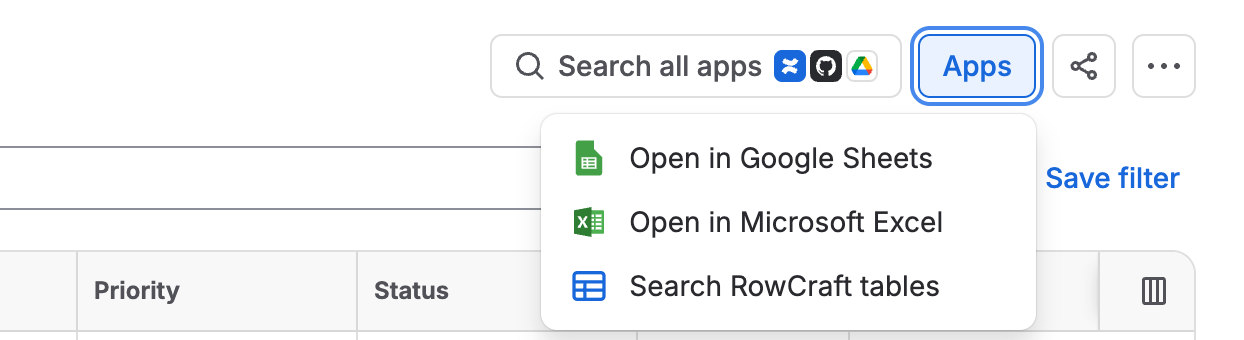
- Select Apps at the top right and choose Search RowCraft tables.
The search JQL box
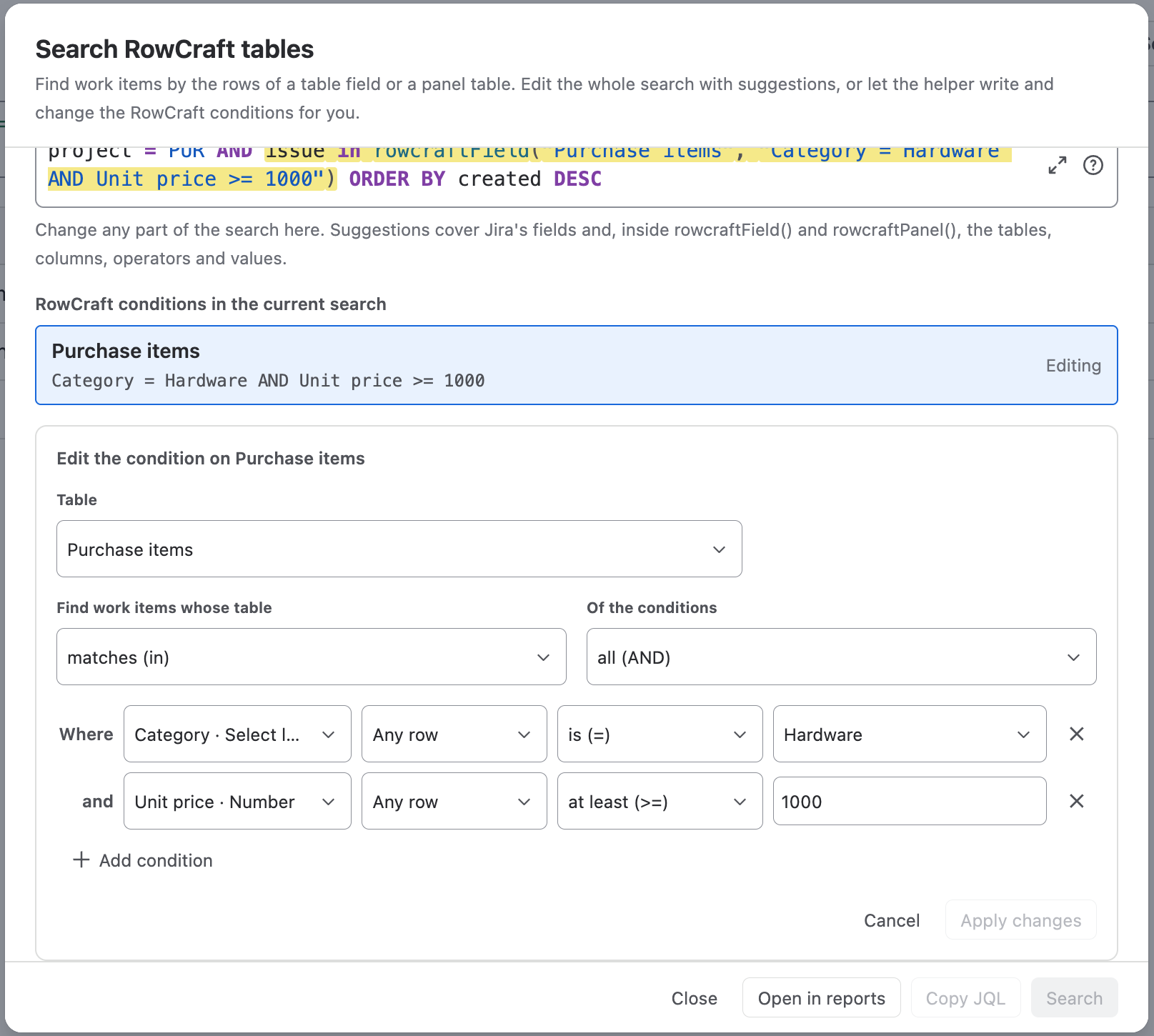
The box at the top holds the complete current search. You can change any part of it, not only the RowCraft conditions. It looks and works like Jira's own JQL editor:
- Fields, operators, values, functions and keywords are coloured.
- Suggestions cover Jira's fields, operators, values and functions. Inside
rowcraftField(androwcraftPanel(they continue with the tables, then the columns (includingTotal,RowCount,SUM(and the other statistics, andNOT), the operators the column supports, and its values: options, checkbox values,currentUser()and so on. - Use the arrow keys to choose a suggestion and Enter or Tab to accept it; Esc closes the list. With no suggestion selected, Enter runs the search. Shift+Enter adds a line.
- A moment after you stop typing, Jira checks the search. Errors appear under the box; the estimated number of work items appears above it.
- Larger editor gives you more room for long searches; JQL help explains the JQL syntax.
Add a condition with the form
When the search has no RowCraft condition yet, the New condition form is open. Otherwise select + New condition under the list.
- Table: choose a table field or a panel table. The helper picks
rowcraftField()orrowcraftPanel()for you. - Find work items whose table: matches (in) or does not match (not in).
- Of the conditions: all (AND) or any one (OR).
- Add conditions: choose the column, what to compare (Any row, or a statistic such as Sum, Average, Minimum, Maximum or Rows filled in), the operator (only those the column supports) and the value. Select lists, checkboxes, people and dates have their own inputs.
TotalandRowCountare offered for the whole table. - When the current search is not empty, choose how to Join with the current search: AND: narrow the current results (default), OR: add these work items to the current results, or Replace the current search. ORDER BY is kept in every case.
- Select Add to search. The condition is added to the JQL and appears in the list above the form.
The part of the JQL that the form writes is highlighted while you work.
Edit or remove existing conditions
RowCraft conditions in the current search lists every rowcraftField() and rowcraftPanel() call of the search.
- Edit loads the condition into the form. Apply changes replaces exactly that part of the search; everything else stays character for character. Cancel changes nothing.
- Remove deletes the condition together with the
ANDorORthat joins it, keeping the meaning of the rest (a OR condition AND bbecomesa OR b). - Conditions that use
NOT, mixANDandOR, or hold values the form cannot show (such asmembersOf()) have Edit in JQL instead: it selects that part in the JQL box, where you edit it with suggestions. - A condition whose table no longer exists can only be removed.
Run, copy or report
- Search runs the search in Jira's work item search.
- Copy JQL copies the final JQL, for example for a saved filter, a board or an automation rule.
- Open in reports opens the Reports page in a new tab with the current JQL. The report's table is the first table the search names; if the search names none and there is only one table, that one is used.
- Close closes the helper without changing the search.