
 RowCraft – Table Fields for Jira
Getting started
RowCraft – Table Fields for Jira user guide
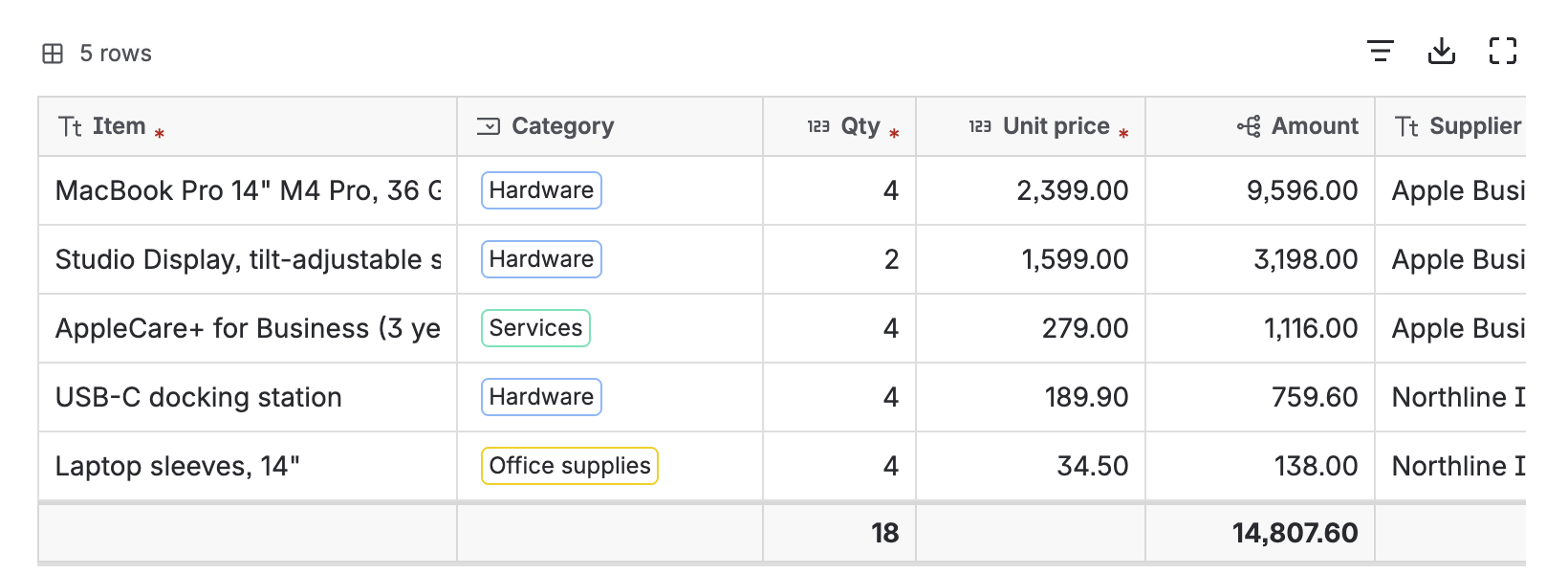
RowCraft – Table Fields for Jira adds real tables to Jira Cloud work items: purchase lines, quotes, expense reports, equipment requests, test steps, checklists, or any table you design. Formulas and totals are calculated for you, editing works like a spreadsheet, and every row can be searched with JQL, reported across work items and traced in the change history.
Two kinds of tables
RowCraft offers two kinds of tables. Both use the same column designer, editor, rules, search and reports.
| Field table | Panel table | |
|---|---|---|
| What it is | A Jira custom field of the RowCraft table type | A table in the RowCraft panel of the work item view, not a custom field |
| Where it appears | On the screens you add the field to: create, edit, transition, the issue view and the service portal | On every work item of the projects and work types you choose |
| Where it is created | Apps → RowCraft → Field tables, or Jira's field settings | Apps → RowCraft → Panel tables |
| Search | rowcraftField() and the field's search properties |
rowcraftPanel() |
| Change history | Read from Jira's own field history | Recorded by RowCraft from the first save |
Use a field table when the table belongs to a form (for example a purchase request that must be filled in on create, or a service-portal request). Use a panel table when a team needs a table on existing work items without changing screens.
Your first table in three steps
-
Create a table field
A Jira administrator opens Apps → RowCraft → Field tables, selects New field table and starts from one of seven templates. Create your first table field →
-
Add it to screens
Put the field on the screens of the projects that need it. People then see the table on create, edit and view. Add the field to screens →
-
Fill in rows
Click the table on a work item, type, press Tab, paste from Excel, and save. Formulas and totals update as you type. Edit a table →
What you can do
Start here
- Install and set up RowCraft — install the app, give people access and find its pages.
- Create your first table field — from template to a table on a work item.
- Add a panel table — a table on work items without a custom field.
- Design columns and Column settings and formulas — build the table you need.
- FAQ and limits — answers and the numbers worth knowing.