
 RowCraft – Table Fields for Jira
Using the app
RowCraft option colours and conditional formatting
Colours make a table easier to scan: a red row for an amount over budget, a green label for Pass, a yellow one for Office supplies. RowCraft has two kinds of colours, and both carry over to the read-only view, full screen, reports and Excel exports.
Option colours
Select list and multi select options can each have a colour. Open the column's Settings in the column designer and choose a colour next to each option under Option colours.
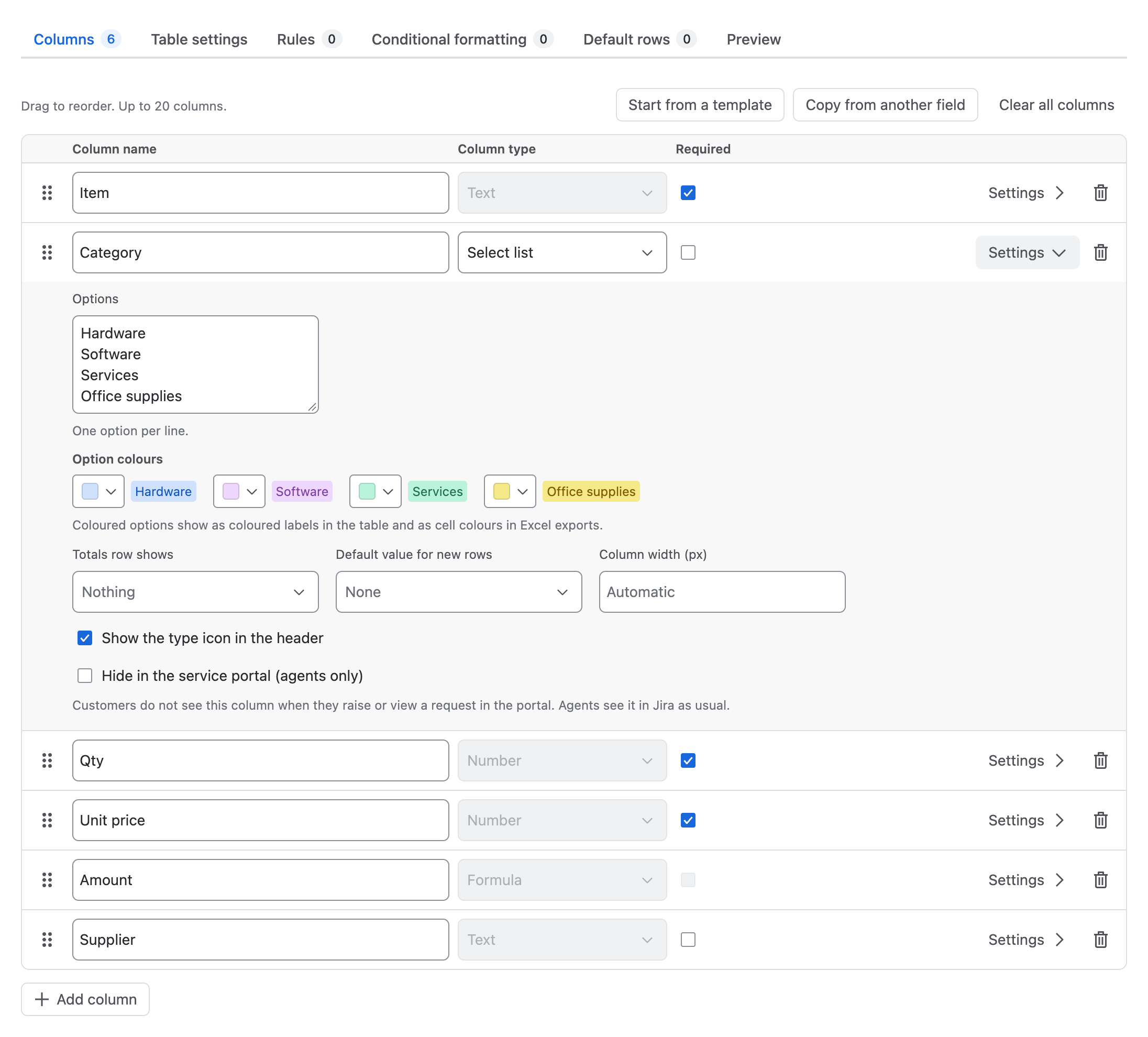
The colours are grey, blue, green, yellow, red, purple, teal, lime, orange and magenta, which follow Jira's light and dark themes, plus Custom colour (#RRGGBB).
Conditional formatting
Open the Conditional formatting tab of the column designer and select Add colour rule.
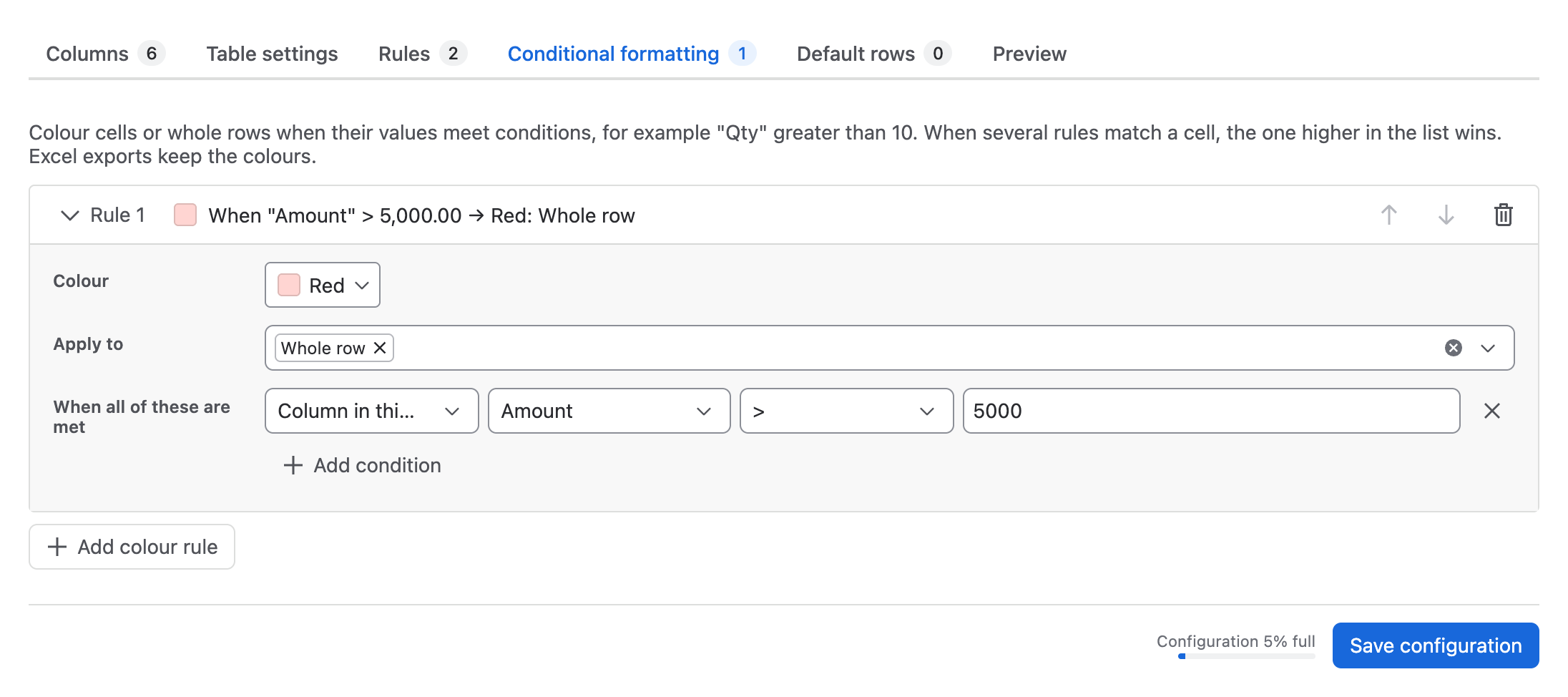
- Choose a Colour.
- Under Apply to, choose Whole row or one or more columns whose cells are coloured.
- Under When all of these are met, add conditions on columns of the same row, for example Amount > 5000, Result is Fail or Delivered is not checked.
- Select Save configuration.
The rule's header summarises it, for example When "Amount" > 5,000.00 → Red: Whole row. A rule that is not complete yet is marked Not complete yet, so it does not apply.
When several rules match
When several rules match the same cell, the rule higher in the list wins. Use Move up (higher priority) and Move down on a rule to change the order.
Ideas
| Goal | Rule |
|---|---|
| Highlight expensive lines | Red, whole row, when Amount > 5000 |
| Show failed test steps | Red, column Result, when Result is Fail |
| Show what is still missing | Yellow, column Delivered, when Delivered is not checked |
| Spot lines without a supplier | Orange, column Supplier, when Supplier is empty |
Where colours appear
- On the work item: the editor, the read-only table and full screen.
- In reports: colours are calculated from each work item's own table configuration. The report setting Show the table's colors turns them off for the report and its export.
- In Excel downloads and report exports: option colours and conditional formatting become cell colours. CSV files have no colours.